 MomentFTP
Every server, one screen
Your Mac stays on the left; add one to four server panes on the right (⌘T to add, ⌘W to close). Drag a pane by its header to dock it anywhere — side by side, stacked or a 2×2 grid. Your layout comes back next launch.

An SFTP, FTP & FTPS client built for macOS
Your Mac on the left, up to four servers on the right — each pane labeled with the server's note and color, so you always know where your files are going.

Your Mac stays on the left; add one to four server panes on the right (⌘T to add, ⌘W to close). Drag a pane by its header to dock it anywhere — side by side, stacked or a 2×2 grid. Your layout comes back next launch.
Uploads, downloads and server-to-server copies are all drag and drop. Server-to-server data streams through memory and never touches your disk. Name conflicts always ask first.
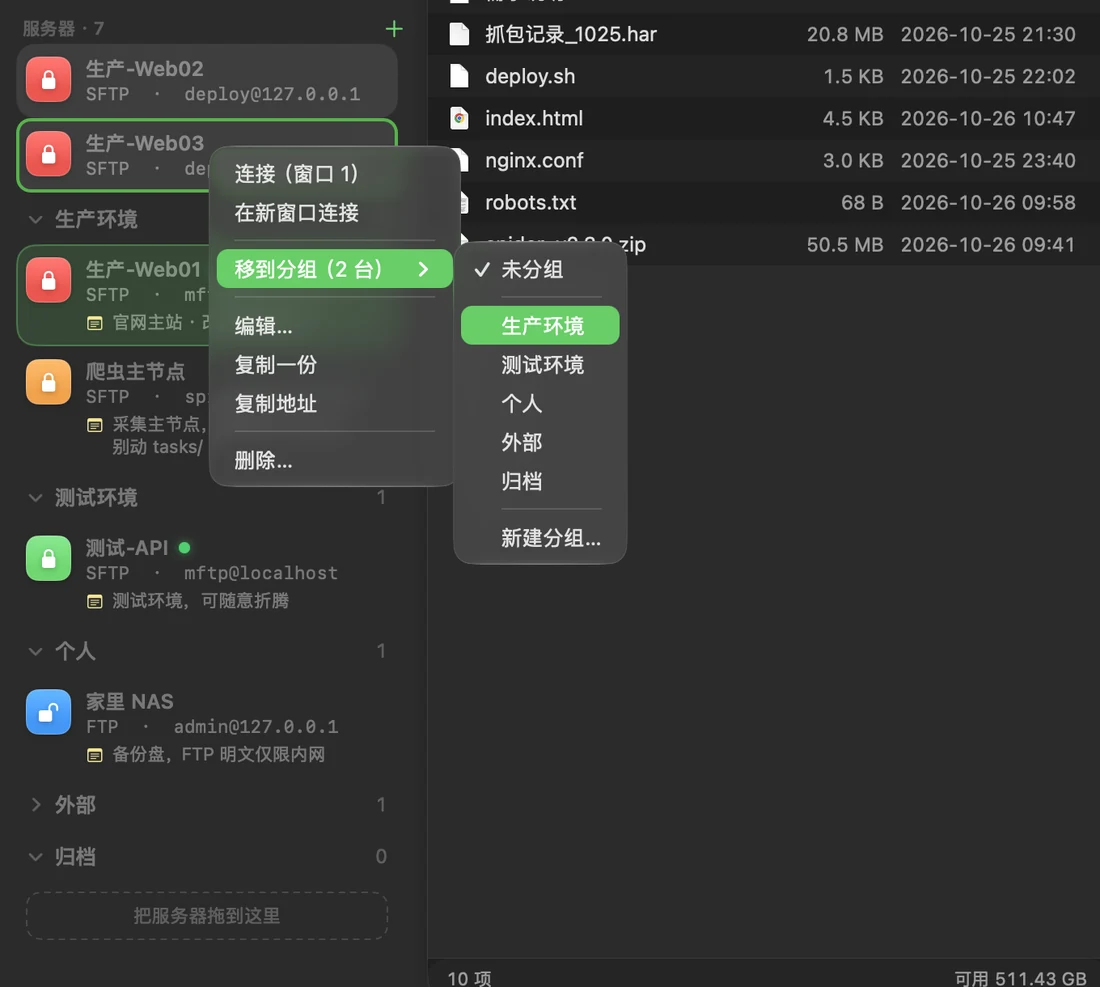
Group servers by project or environment (⇧⌘G) and fold them like folders. Drag several into a group at once, or right-click › Move to Group. Deleting a group never deletes its servers.
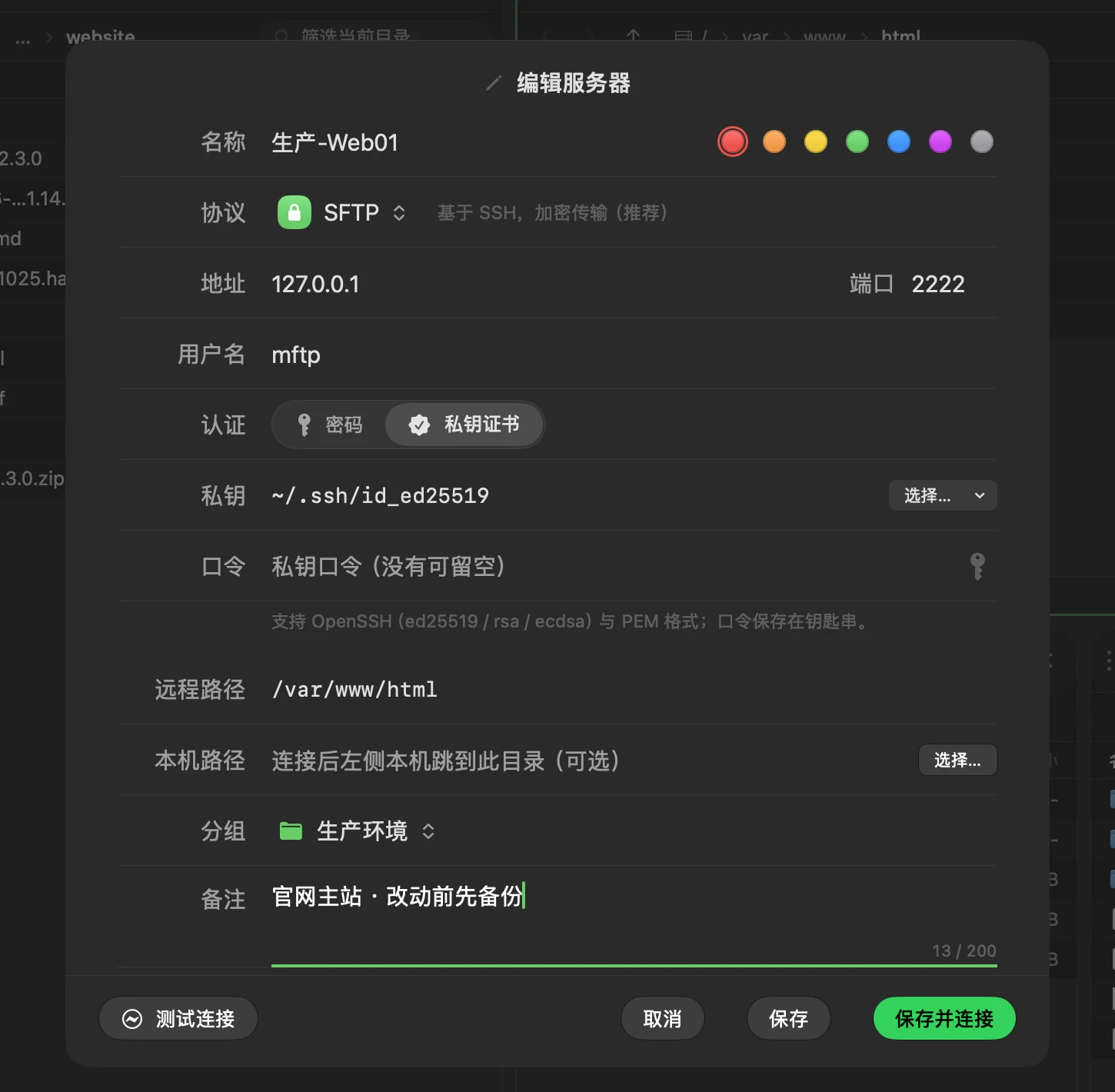
Give every server a note and a color. Red means production — right there in the sidebar and on every pane header, and called out again before you copy to it.
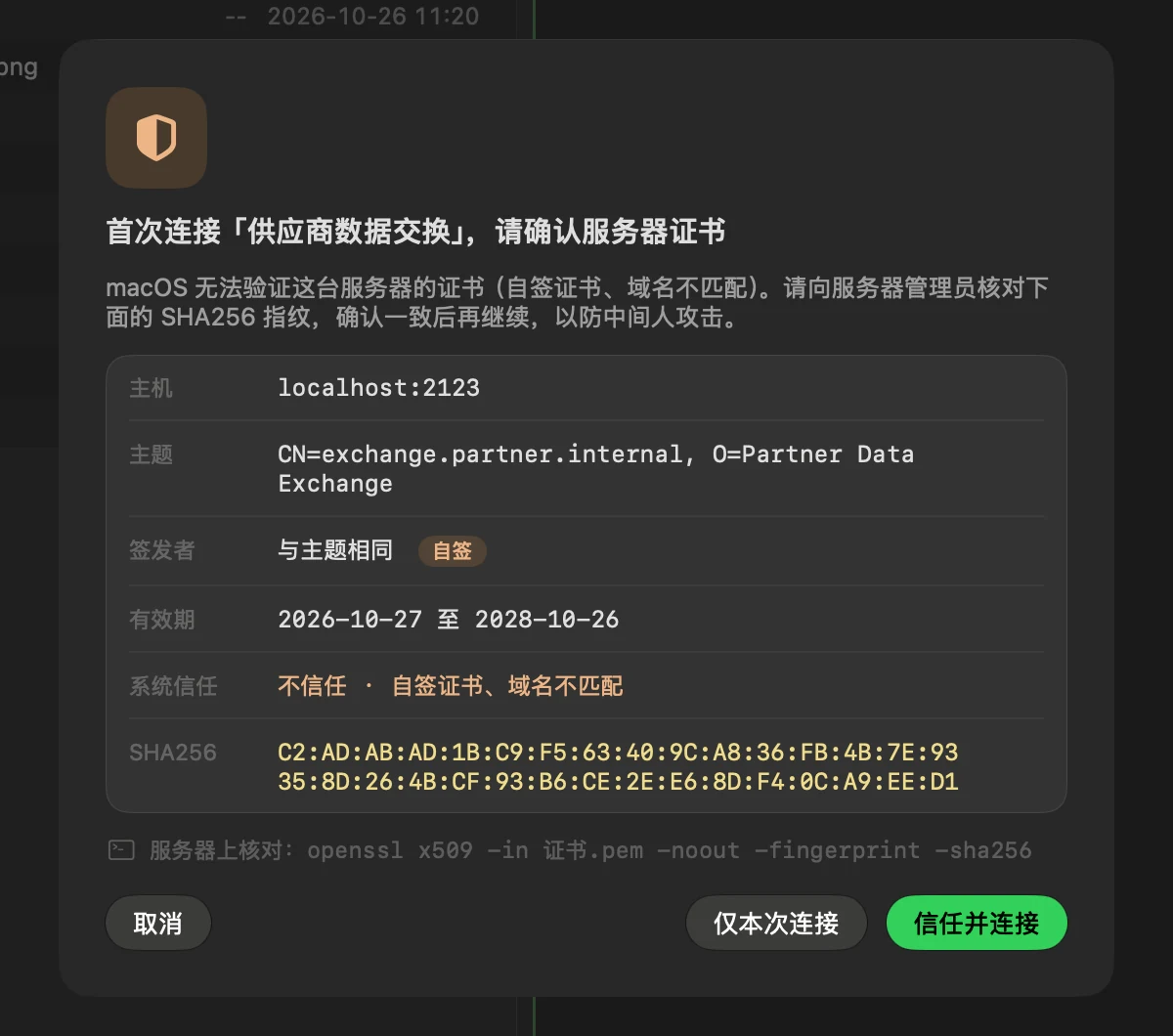
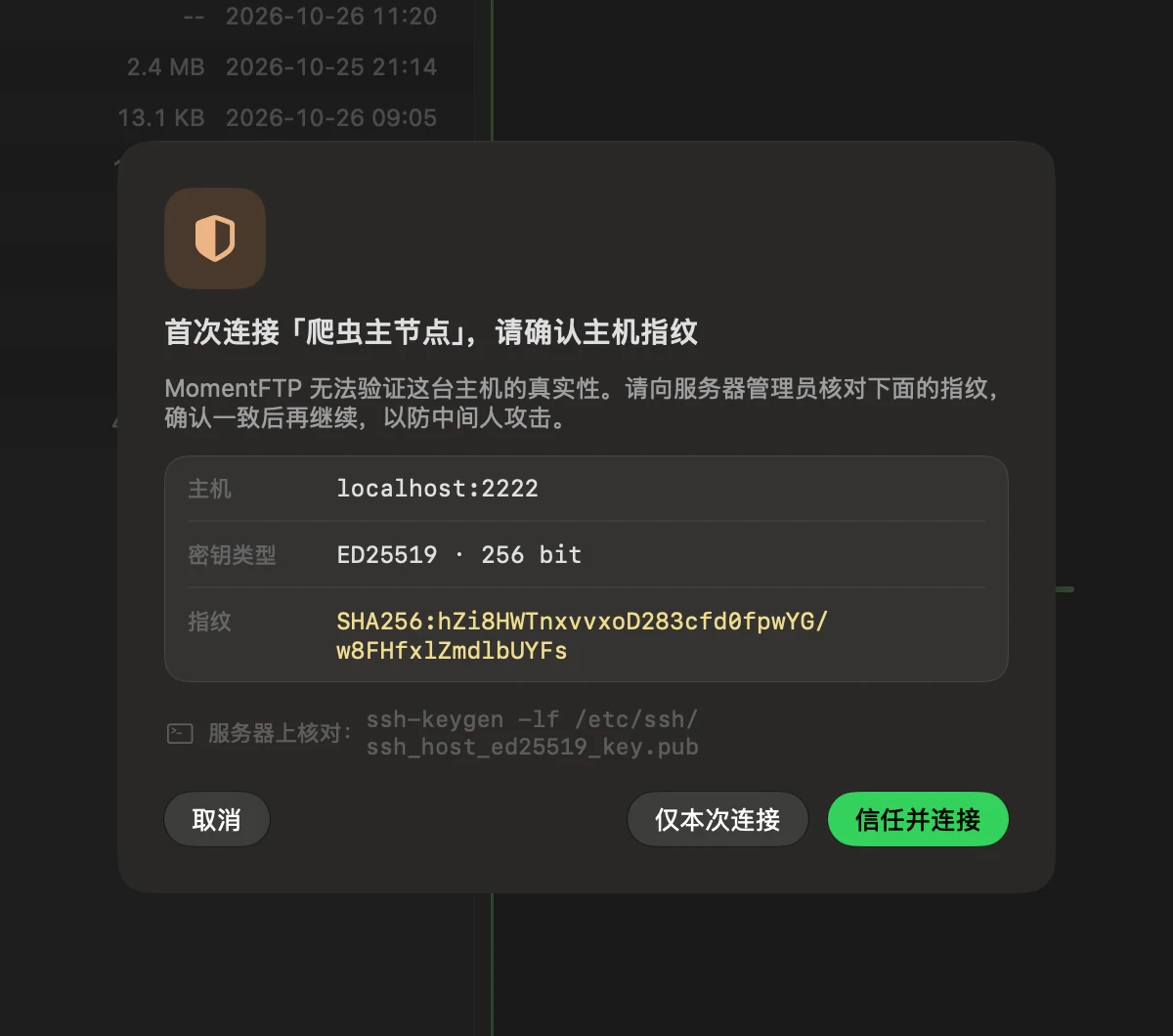
SFTP, FTP and FTPS with passwords or keys. Credentials live in your Keychain, host keys are confirmed on first use and changes are blocked, self-signed certificates need your sign-off, and plain FTP is always flagged.
A native Liquid Glass interface in light and dark. Saturates a gigabit link. Collects no data — no accounts, no analytics, no ads.
dist/ onto /var/www/html and confirm every name conflict — no accidental overwrites.Real screenshots of the app, shown in dark or light to match your system appearance.


MomentFTP only connects to servers you add. Your server list stays on your Mac and passwords live in your Keychain. No accounts, no analytics, no ads.
Read the privacy policy →Need help? The FAQ covers connection failures, changed host keys, FTPS certificates, garbled filenames, server groups, a missing main window and more. Can't find an answer? Email us.
Please include your MomentFTP and macOS versions. We usually reply within two business days. · Release notes →